Where can I view my subscription information?
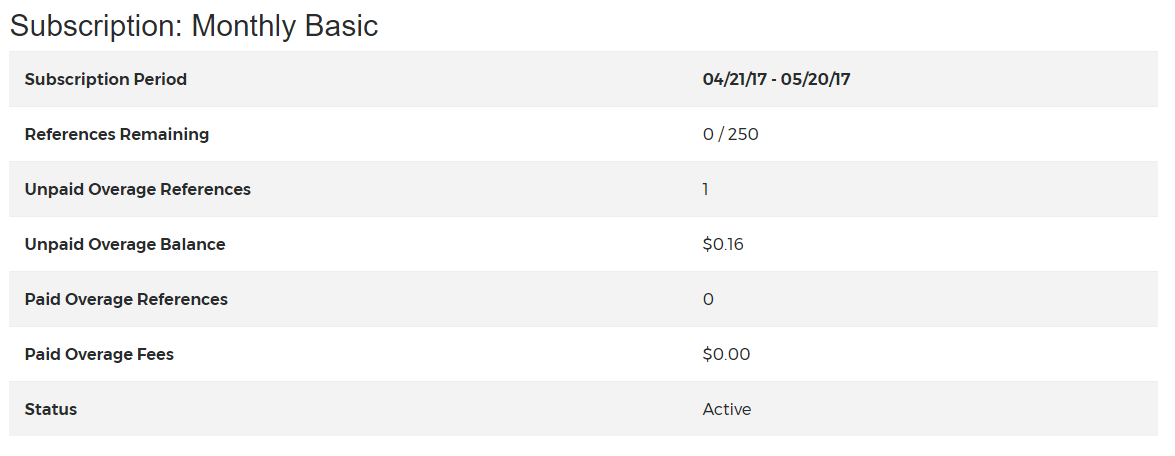
All your subscription information can be found via Account>My Subscription, including remaining reference allowance, start date, expiration date, and active/inactive status for all subscriptions associated with your account.
You will first see the details of your current subscription, including paid and unpaid overage charges:

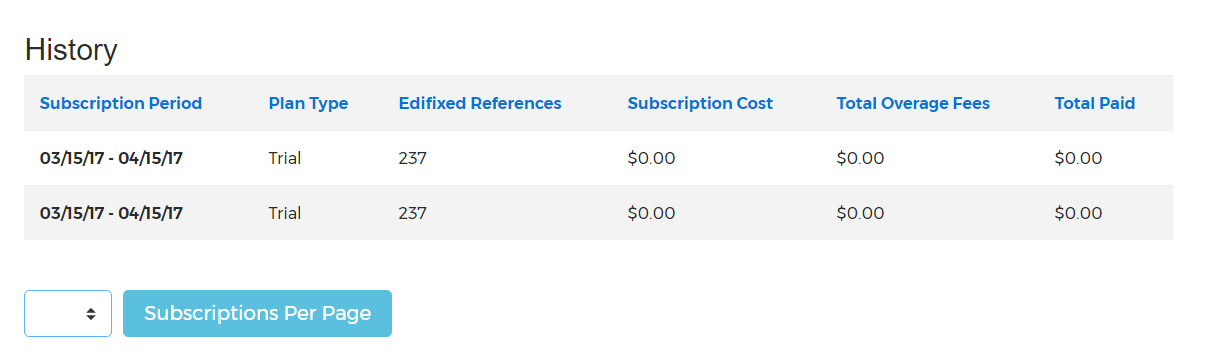
To view your Subscription History, scroll to the bottom of this page. If you have several subscriptions associated with your account, you can choose how many to display per page.
Last updated: 28 Apr 2026, 18:12:46
Loading navigation...