How can I add a new Team Member to my Edifix Team?
To add new Team Members, go to Account>My Team, where you'll find the Team Overview page:
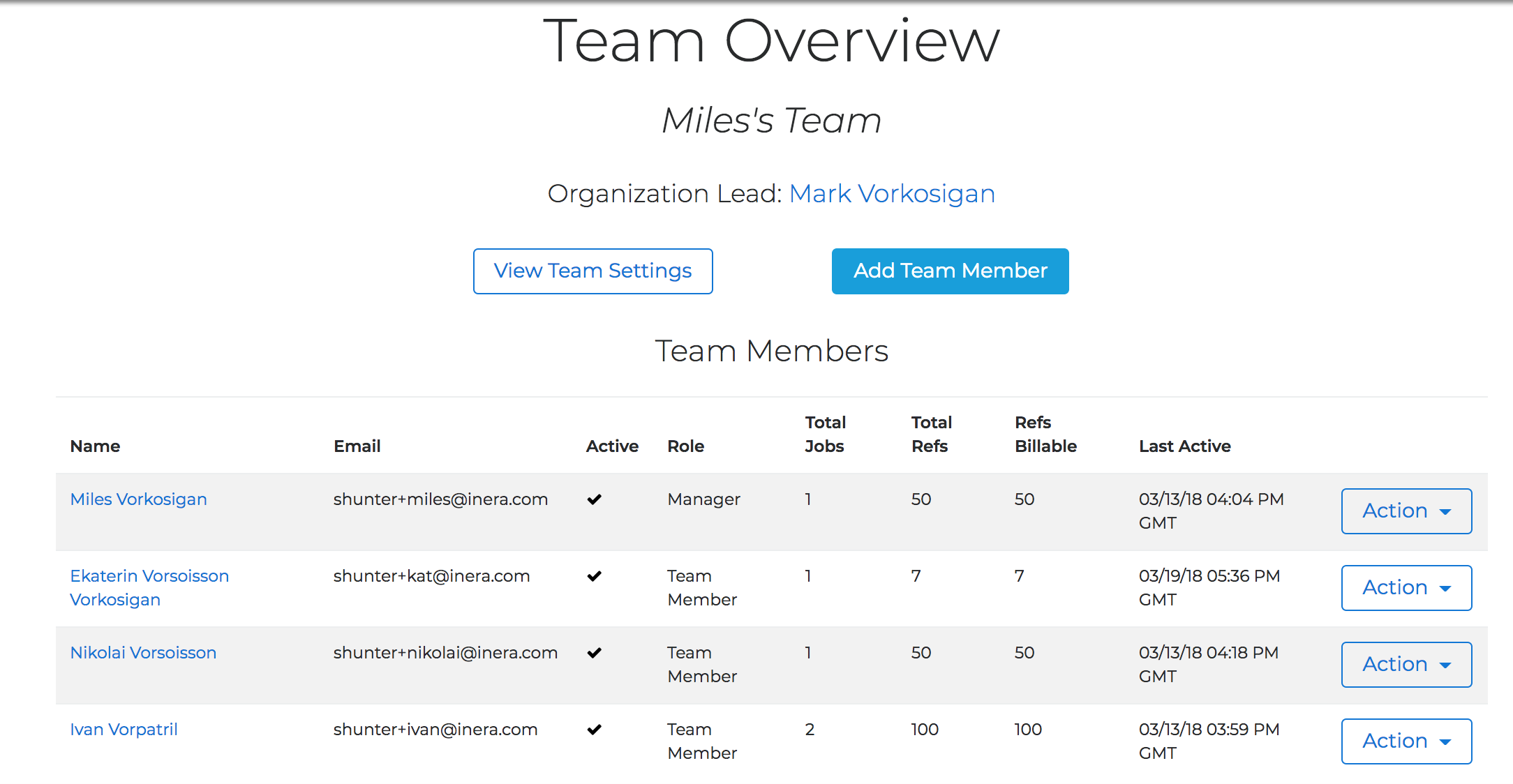
Click the Add Team Member button to bring up the New Team Member page, and fill in the user's email address and their first and last names:
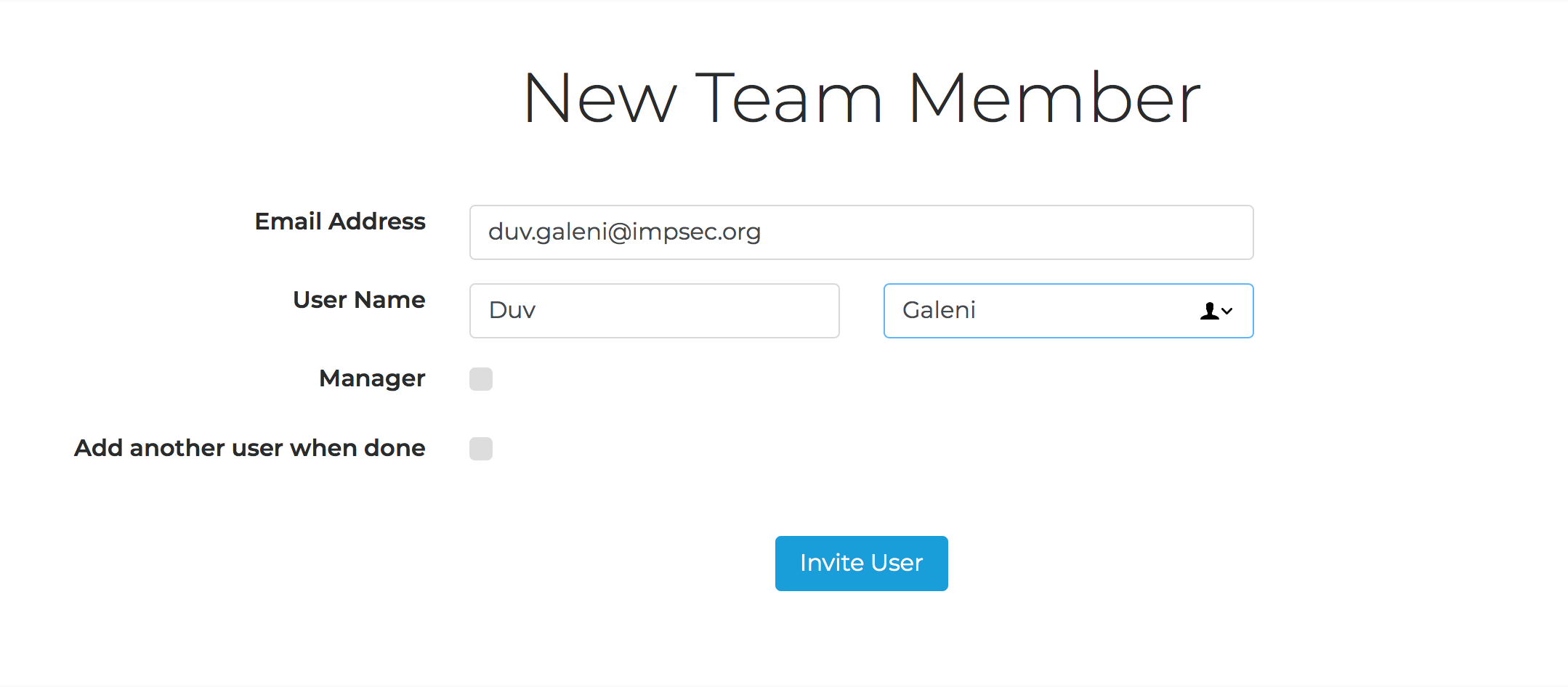
If the new Team Member will also be a Manager of this Team, check the Manager box.
TIP
Need to keep adding new Team Members? Check Add another user when done.
Click Invite User. Your new Team Member will receive an email invitation to create their Edifix account as a member of your Organization!
Last updated: 28 Apr 2026, 18:12:46
Loading navigation...