SmartRefs
The SmartRefs workflow action reads reference paragraphs from a Typefi Content XML (CXML) file, sends them to Edifix for citation style formatting and validation, and writes the results back to the output CXML file with bib_* character styles and DOI hyperlinks. References that need attention are flagged for editorial review in Typefi Orion for Microsoft Word—see What to do when a reference needs review.
General
Use this tab to specify the input and output files.
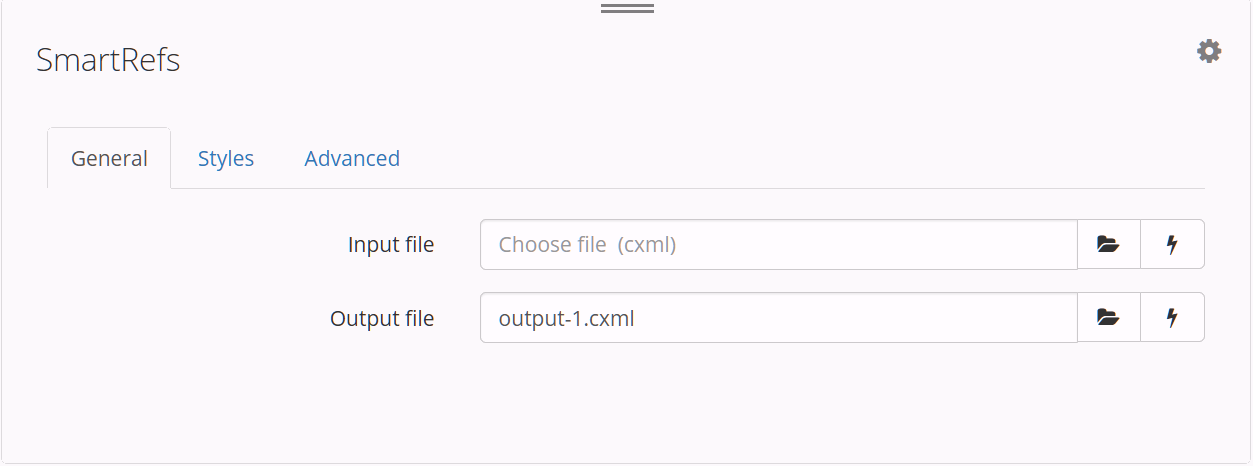
| Field | Description |
|---|---|
| Input file | The input CXML file containing the references to process. Click the Choose File icon  |
| Output file | The output Content XML file. Click the Choose File icon |
Styles
Use this tab to specify the styles that identify references in your document.
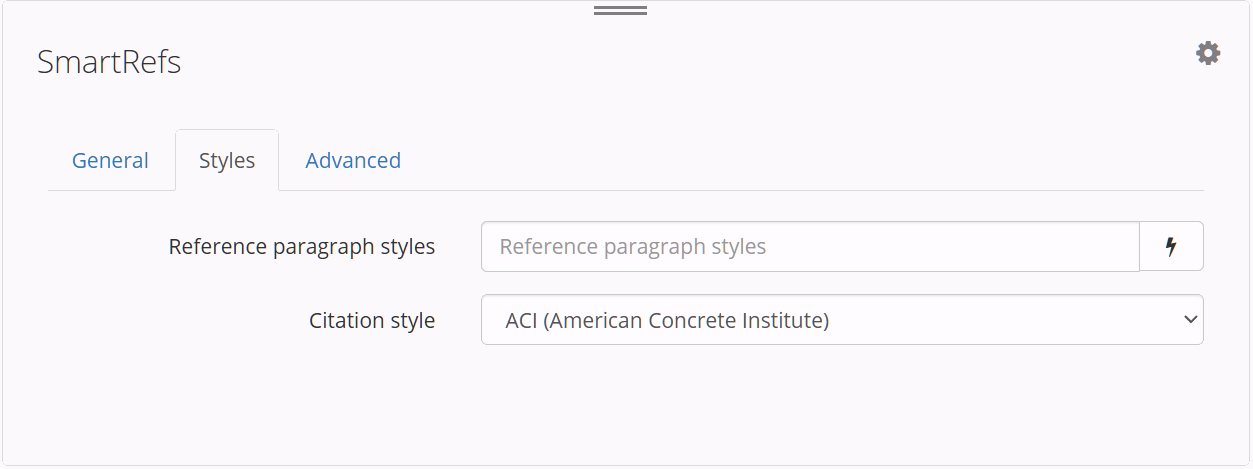
| Field | Description |
|---|---|
| Reference paragraph styles | The paragraph styles used to identify reference paragraphs. Enter one style name per line. In Orion for Word workflows, this field is populated automatically from the publication's Bibliographic Reference - All style group. |
| Editorial style (formerly Citation style) | Specify the editorial style used to format your processed references. For available options (for example, APA 7th ed., AMA 11th ed., or Vancouver/ICMJE), see available editorial styles. Always applied unless you supply an eXtyles® editorial style below, which overrides it. |
| eXtyles® editorial style | Optional. Upload a .xsp file (a RefStr eXtyles reference stylesheet) for a house style not covered by a predefined editorial style. When supplied, this overrides the Editorial style above. Covers reference structure only—journal-name abbreviation matching isn't yet supported. |
Advanced
Use this tab to configure which external databases SmartRefs queries and how reference paragraphs are prepared before submission to Edifix.
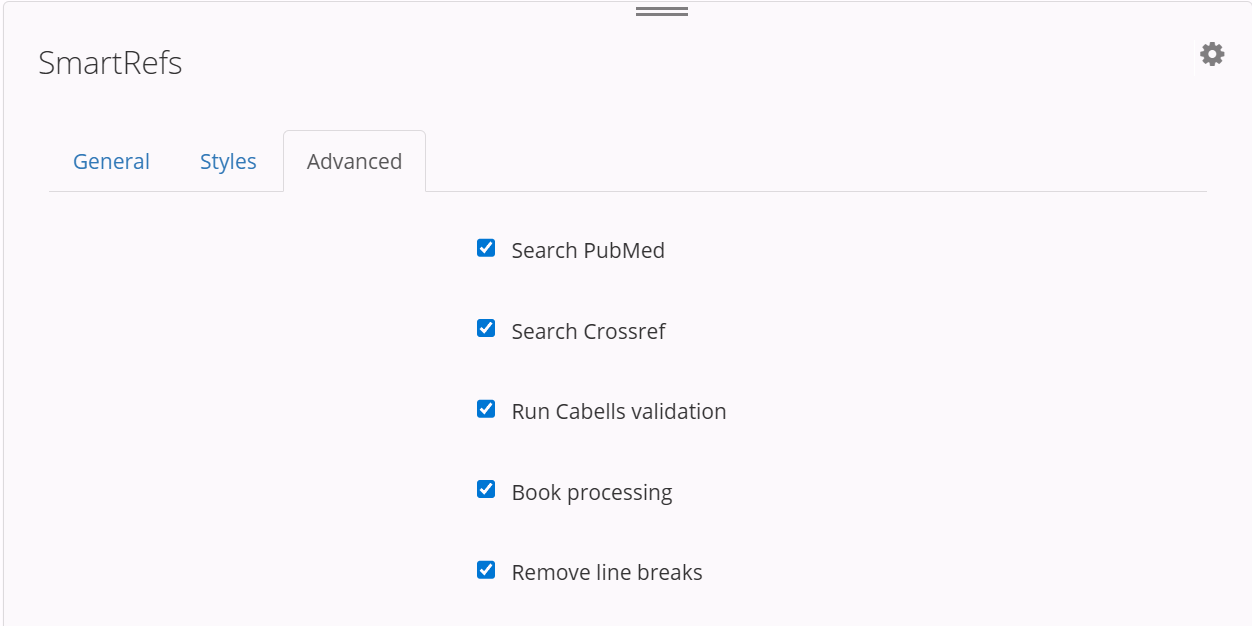
| Field | Description |
|---|---|
| Search PubMed | Select Search PubMed to query PubMed® and validate and correct references. Search PubMed is selected by default. |
| Search Crossref | Select Search Crossref to query Crossref™ and validate references and resolve DOI links. Search Crossref is selected by default. |
| Add Google Scholar links | Select Add Google Scholar links to append a Google Scholar search link to each eligible reference. Add Google Scholar links is deselected by default. |
| Book processing | Select Book processing to apply book-specific processing rules to reference paragraphs. Book processing is selected by default. |
| Remove line breaks | Select Remove line breaks to remove line breaks within reference paragraphs before processing. Remove line breaks is selected by default. |
| Parameters | Enter one key=value parameter per line to customise how this action processes your references. |
Note
Workflows created before v4 still show Run Cabells validation, but the check no longer runs. Updating a workflow to the current action definition removes the checkbox from view as well.
Reference types assigned during processing can be reviewed or corrected in Orion for Word using Insert Tags. If a reference keeps coming back Unknown or the wrong type, see Helping Edifix tag a difficult reference.
TIP
You can use workflow variables to specify file paths. To insert a workflow variable, click the lightning bolt icon and choose a variable from the pop-up menu.